The whole revenue cycle, in one system.

From the first coverage check to the month-end close, with your team approving anything that changes a live system.

Front desk and patient access

01 / 08

Coverage, estimates and check-in, sorted out before the patient arrives.

  1. Coverage checked before the visitUpcoming appointments are checked automatically, and any problem becomes a task before the patient arrives.
  2. Missing insurance, foundWhen coverage is missing or inactive, G3 Flow looks for it and hands anything it can’t find to a person.
  3. Estimates and check-inPatient estimates with every assumption shown, and a desk view of coverage, copay and prior balance.
  4. Prior authorizationsAuthorizations tracked by visits and units, with a warning before they run out.
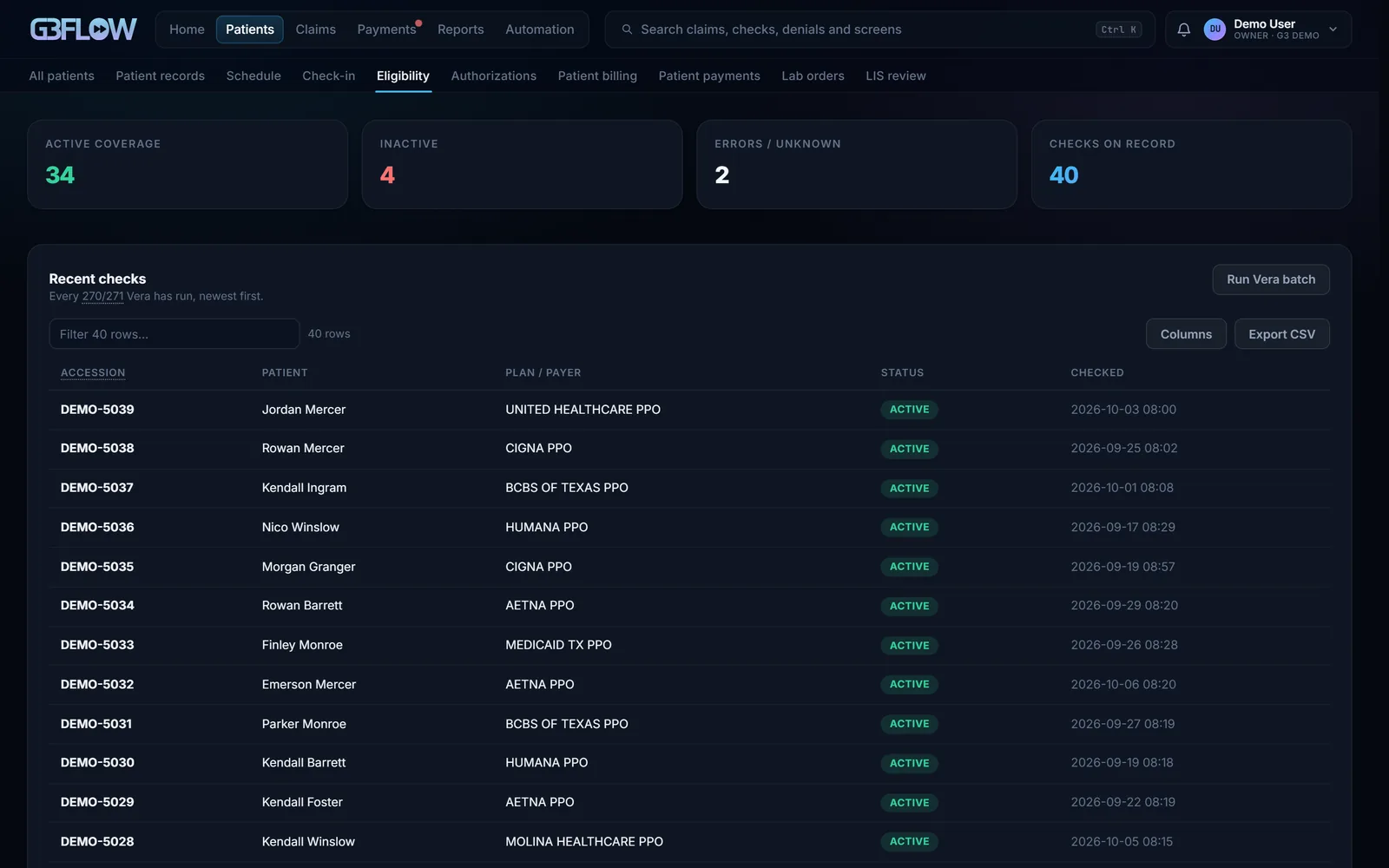
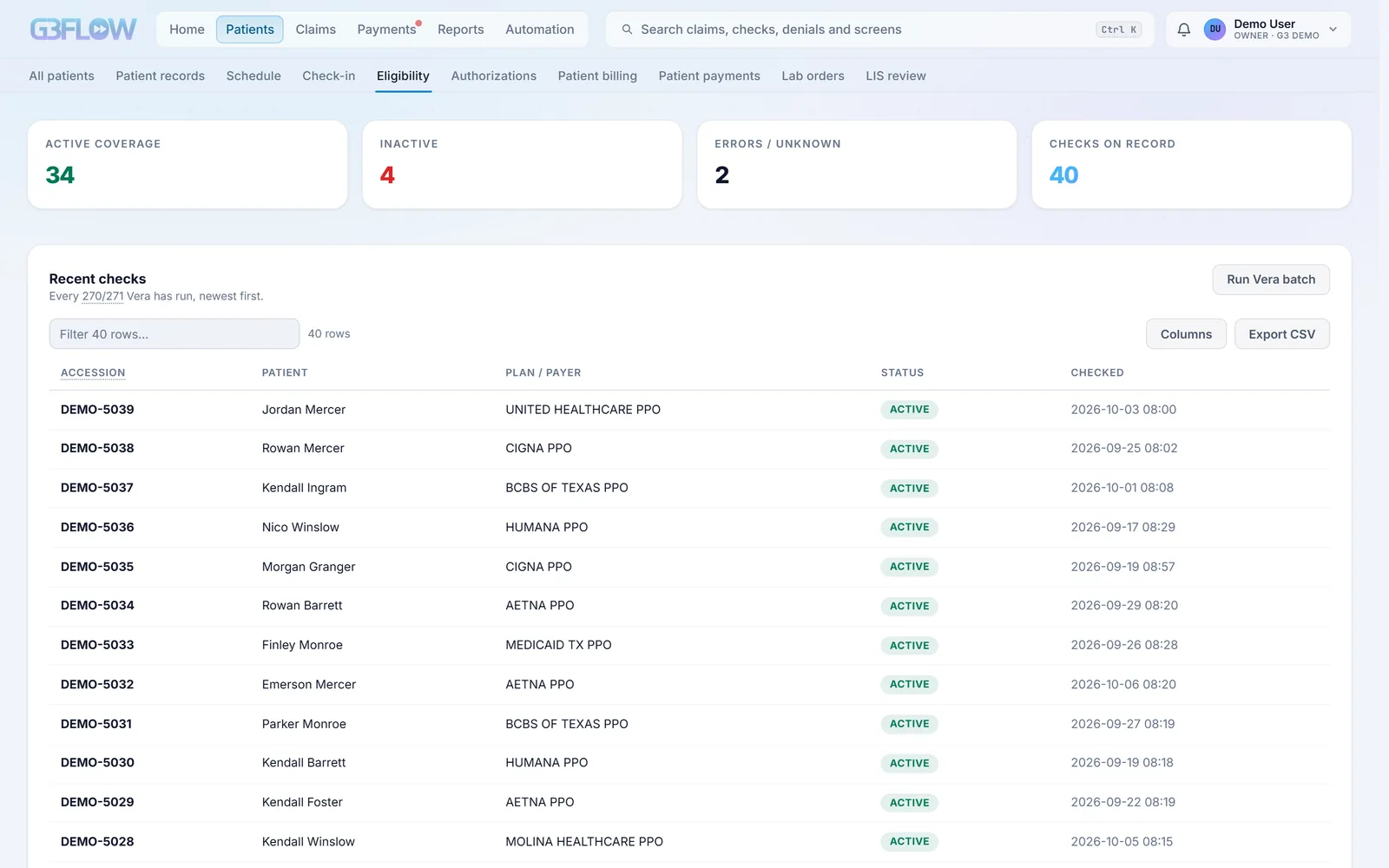
Eligibility. Every coverage check, newest first. The patients are made up.
G3 Flow’s Eligibility screen: recent coverage checks listed by patient, plan and status, under counts of active, inactive and unknown coverage. G3 Flow’s Eligibility screen: recent coverage checks listed by patient, plan and status, under counts of active, inactive and unknown coverage.

Claims

02 / 08

Clean claims out the door, and every one tracked until the payer answers.

  1. Scrubbed before they goEvery claim is checked against payer and CMS rules for its date of service. Problems stop it; warnings advise.
  2. Specialty rulesRule packs for therapy, behavioral health, anesthesia, radiology, equipment, dental and more. See the rules
  3. Sent and trackedSent through your clearinghouse once your team approves the batch, and followed until the payer answers.
  4. Insurance AR, rankedOpen claims ranked by what each is likely to bring in and by its filing deadline.
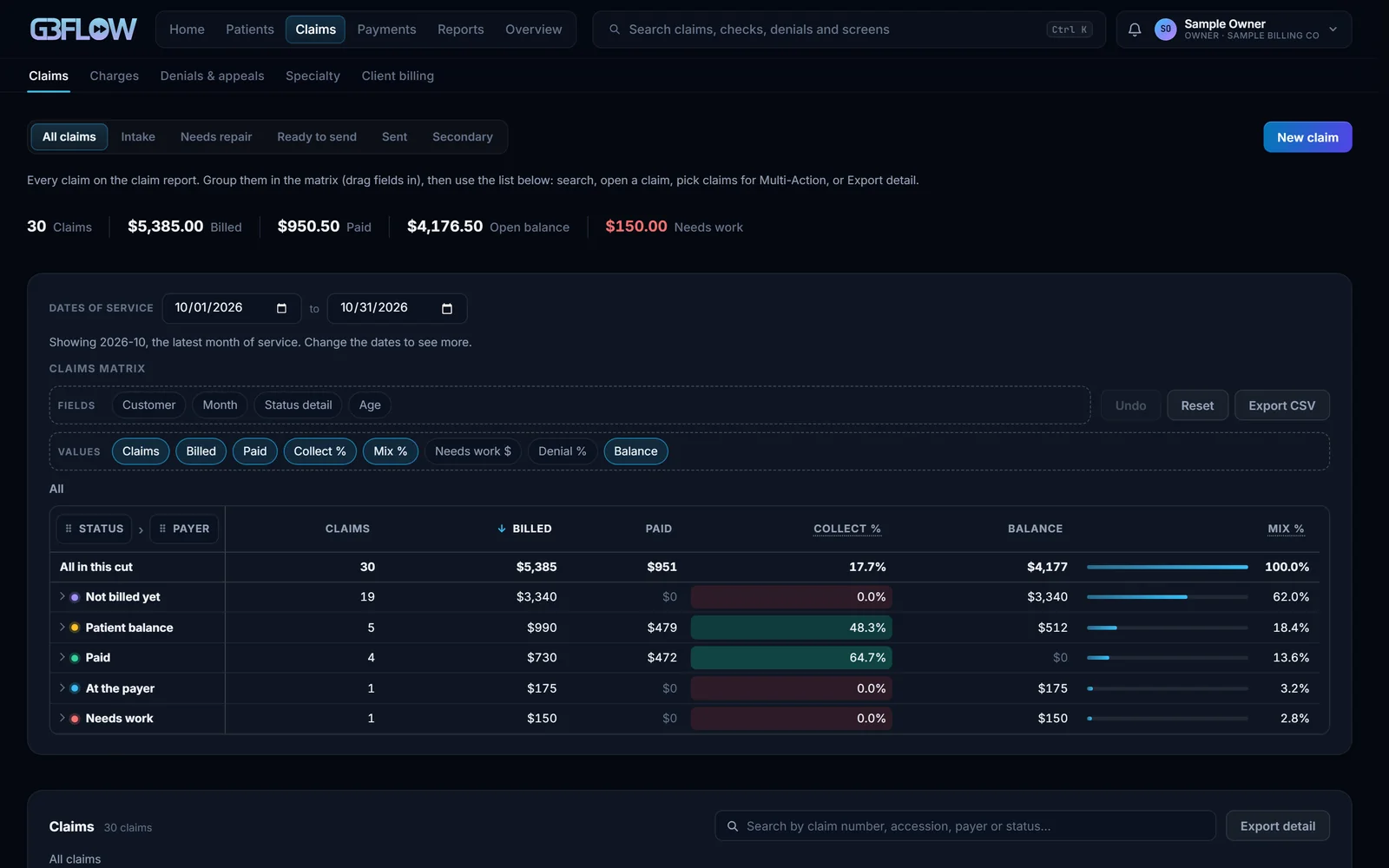
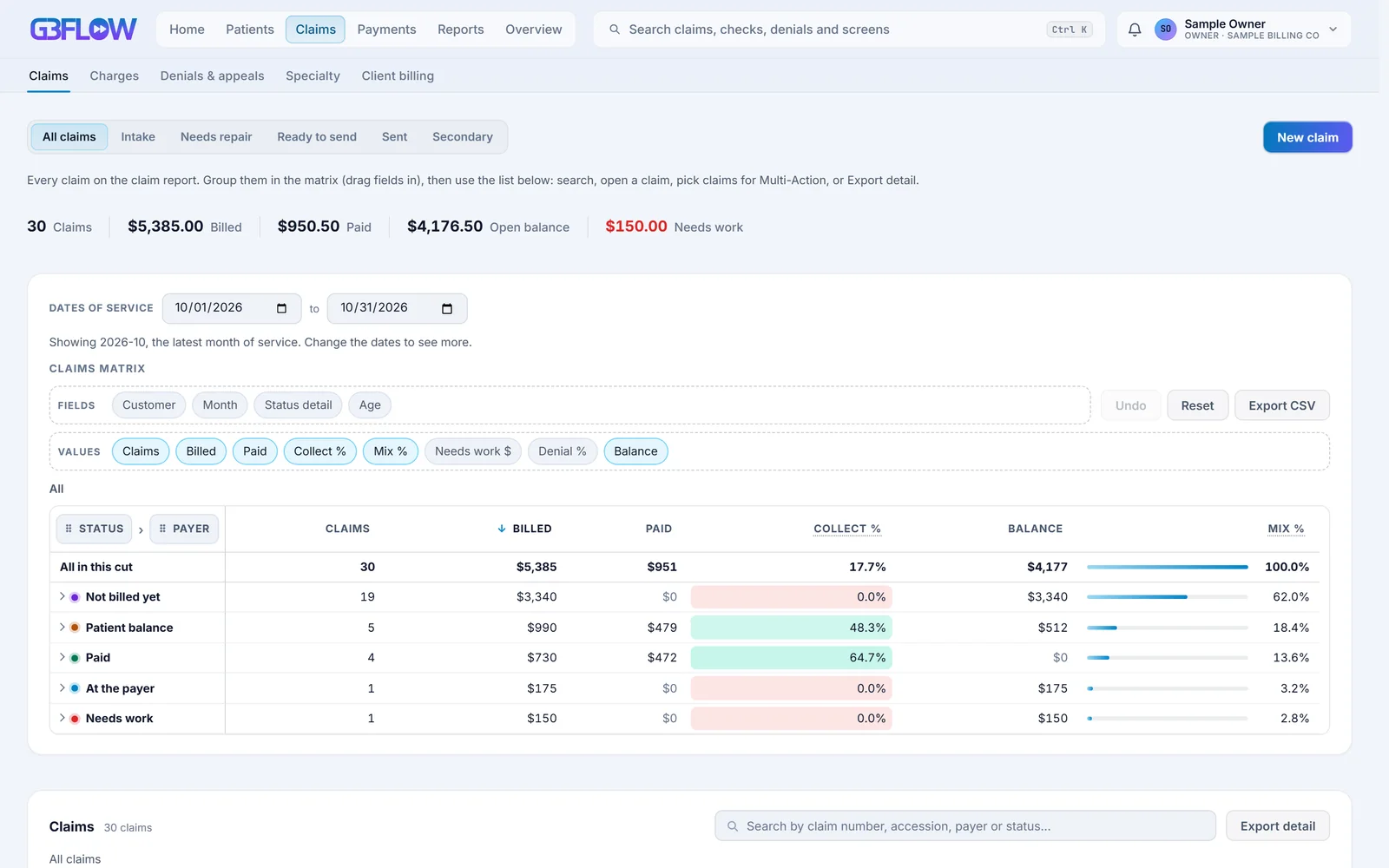
All claims. Every claim, where it stands and what’s still owed.
G3 Flow’s All claims screen: totals for claims, billed, paid, open balance and needs work, above a matrix of claims by status and payer. G3 Flow’s All claims screen: totals for claims, billed, paid, open balance and needs work, above a matrix of claims by status and payer.

Payments and deposits

03 / 08

Every remittance posted once, and every deposit accounted for.

  1. Remittances posted onceEvery remittance is checked to balance, then posted once your team approves, in your billing system or in G3 Flow.
  2. Deposits matchedBank deposits matched to the payments they cover, and queued for a person to approve.
  3. Reconciliation and month endA daily check between your billing system and the bank, and a month-end close that balances.
  4. Credit balances and refundsOverpayments found and refunded with a second person’s sign-off, and refund deadlines tracked.
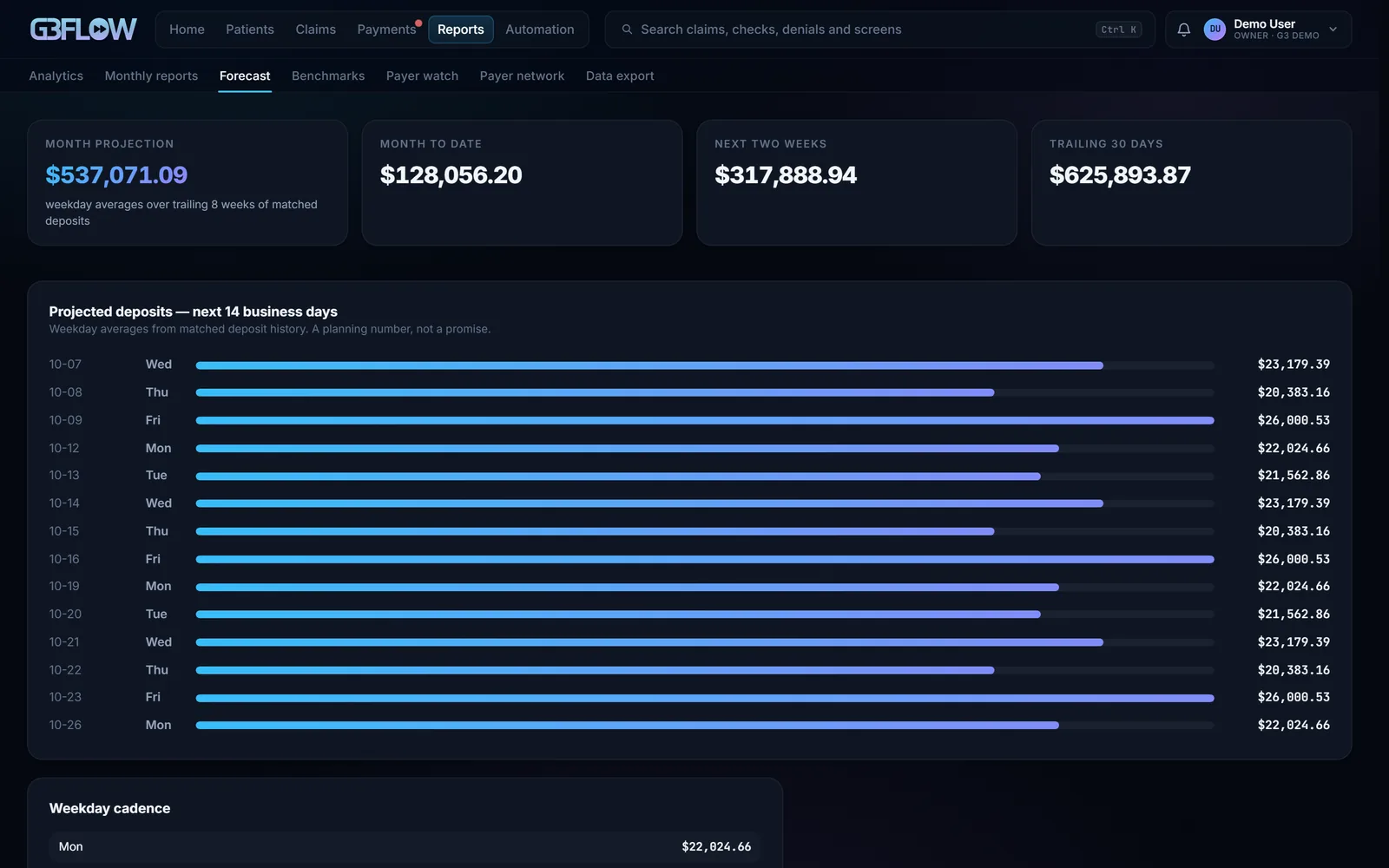
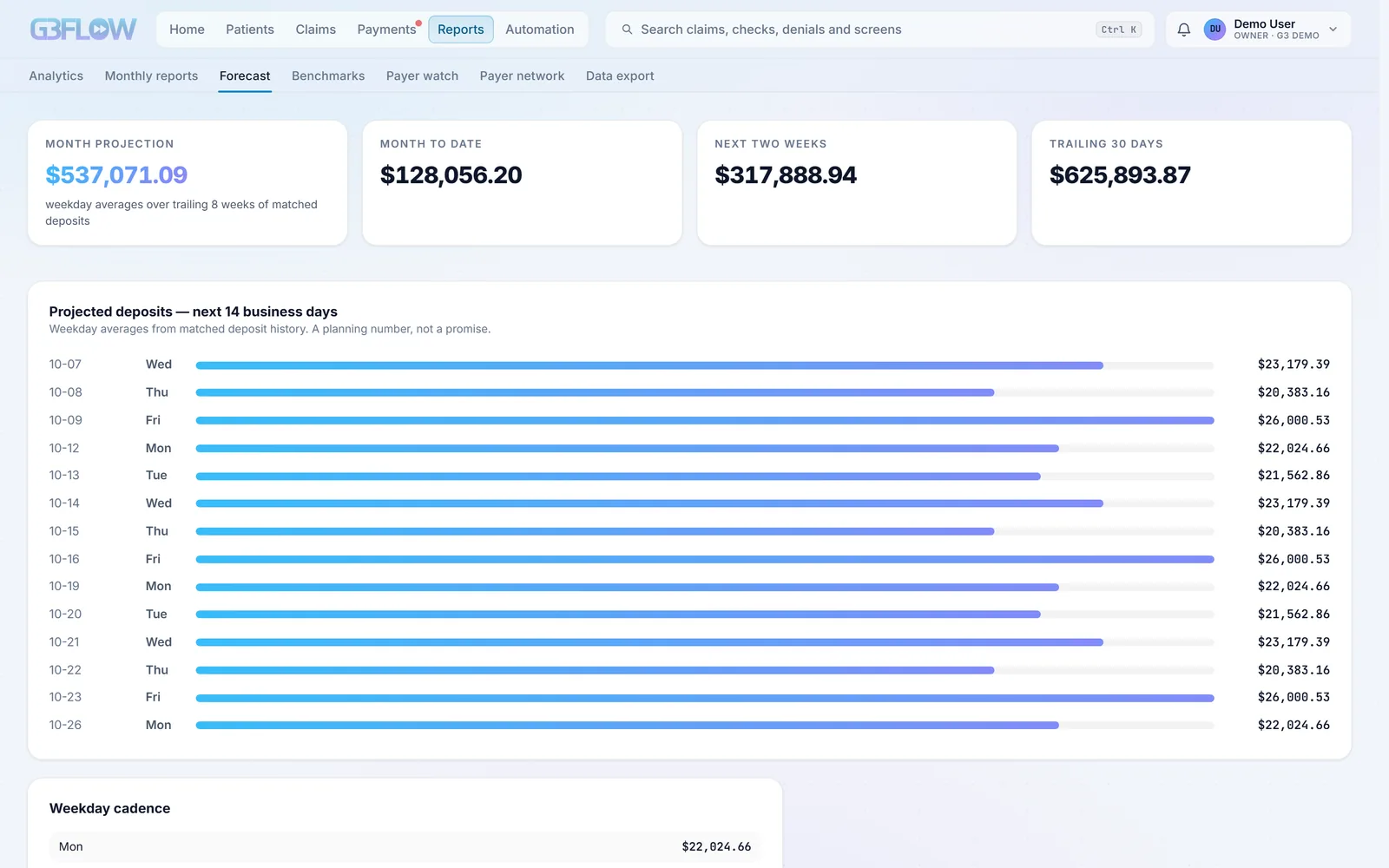
Cash forecast. Expected deposits for the next two weeks and for the month.
G3 Flow’s Forecast screen: projected deposits for each of the next 14 business days, under tiles for the month projection, month to date, the next two weeks and the trailing 30 days. G3 Flow’s Forecast screen: projected deposits for each of the next 14 business days, under tiles for the month projection, month to date, the next two weeks and the trailing 30 days.

Denials and underpayments

04 / 08

Every dollar a payer held back gets a reason, an owner and a deadline.

  1. Every denial becomes workEach denial gets a root cause, an owner, an appeal deadline and the amount at stake.
  2. Appeals, draftedA letter and the evidence it needs for each kind of denial. A person sends every appeal.
  3. Underpayments flaggedLines paid below Medicare’s rates or your contracts, tracked until recovered or written off.
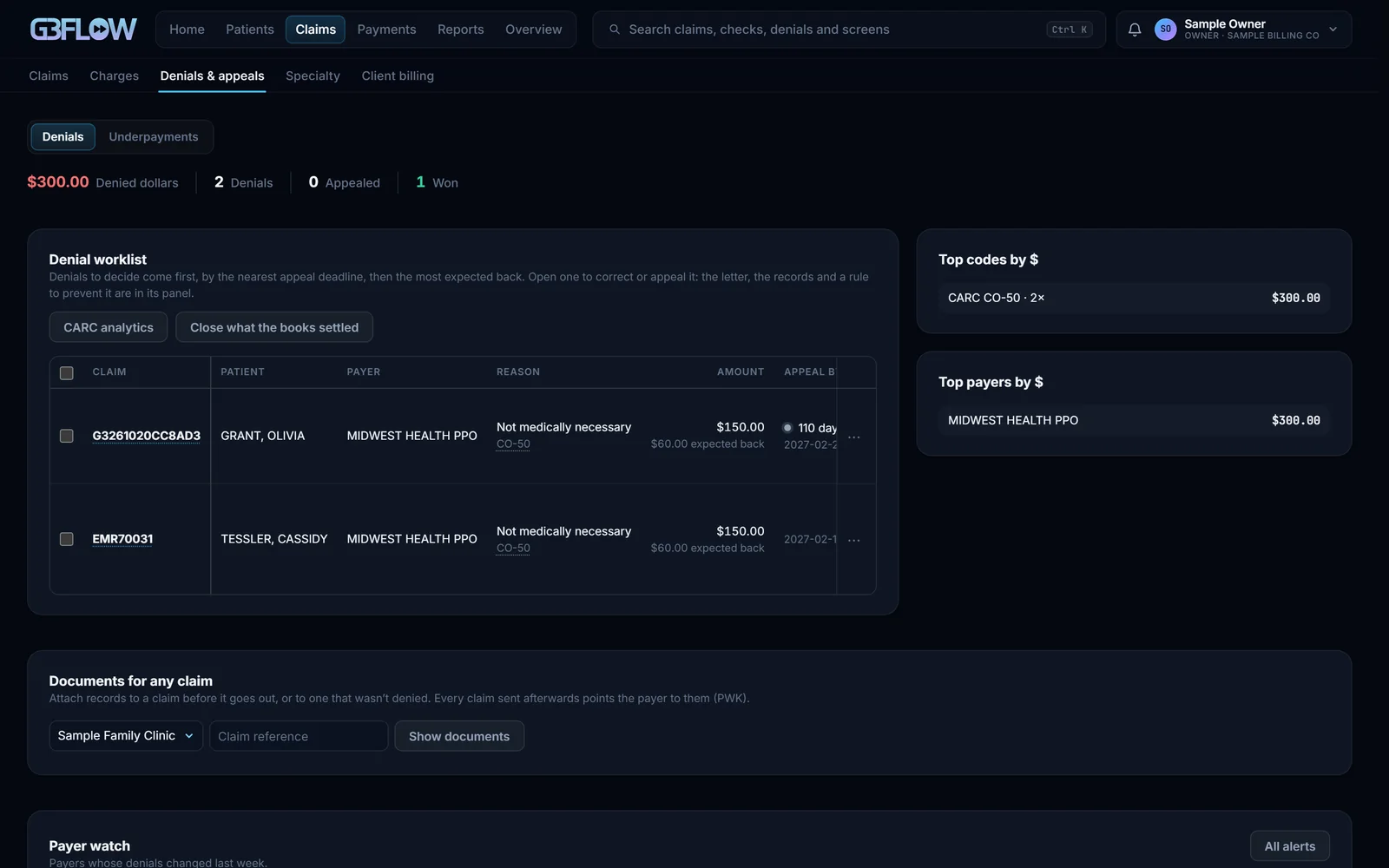
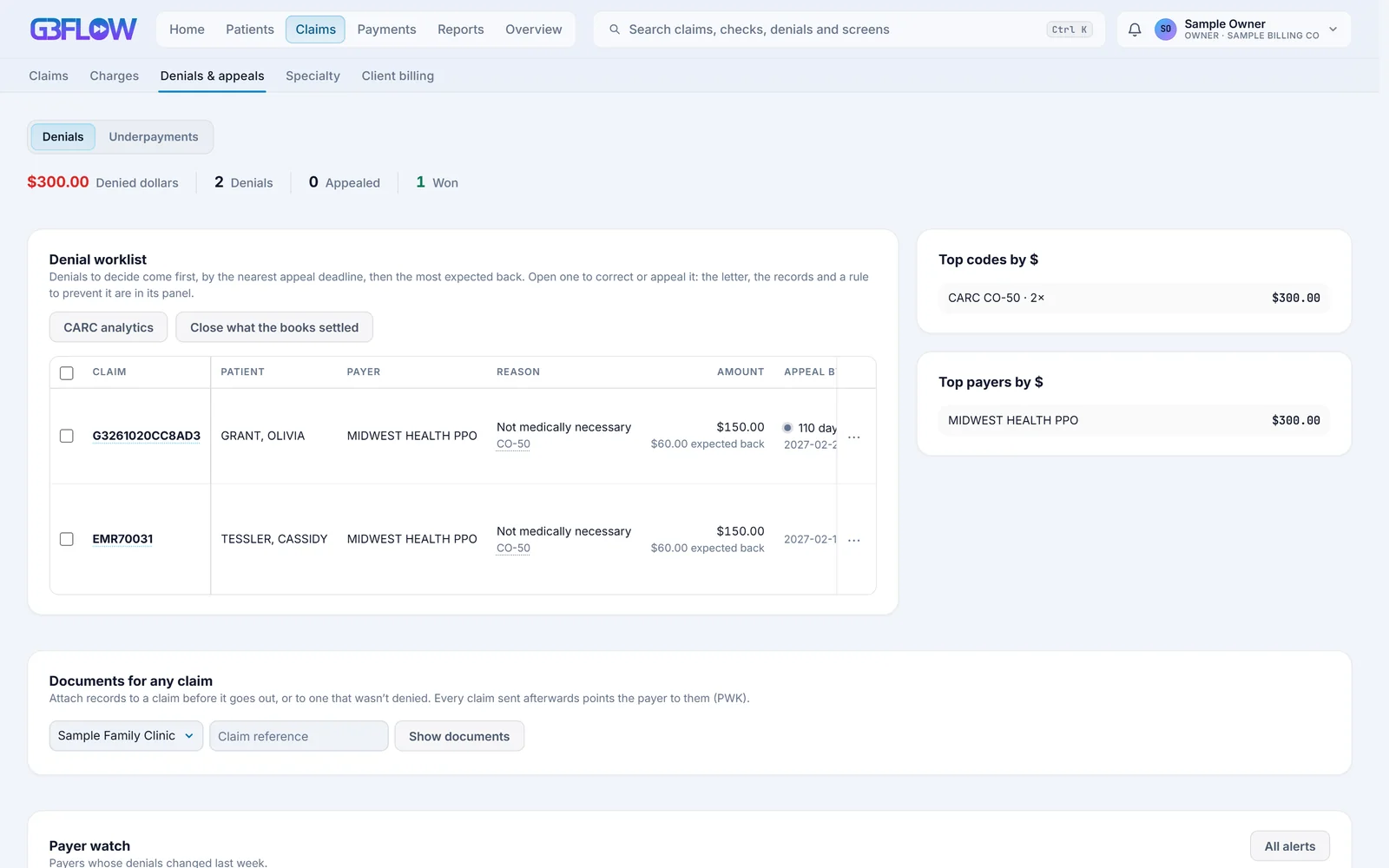
Denial worklist. Each denial with its reason, the amount at stake and its appeal deadline.
G3 Flow’s denial worklist: denied claims with patient, payer, reason, amount and appeal deadline, beside the top denial codes and payers. G3 Flow’s denial worklist: denied claims with patient, payer, reason, amount and appeal deadline, beside the top denial codes and payers.

Patient billing

05 / 08

Patients billed for exactly their share, and an easy way to pay it.

  1. Balances from the payer’s answerPatients are billed exactly their share, and never when they can’t be.
  2. Statements by mail, email and textStatements that escalate on your schedule, on paper or, with the patient’s consent, by email and text.
  3. Online payments and plansPatients pay online or set up a payment plan, and card details never touch G3 Flow.
  4. Client billingMonthly invoices for work billed to the ordering facility instead of insurance.
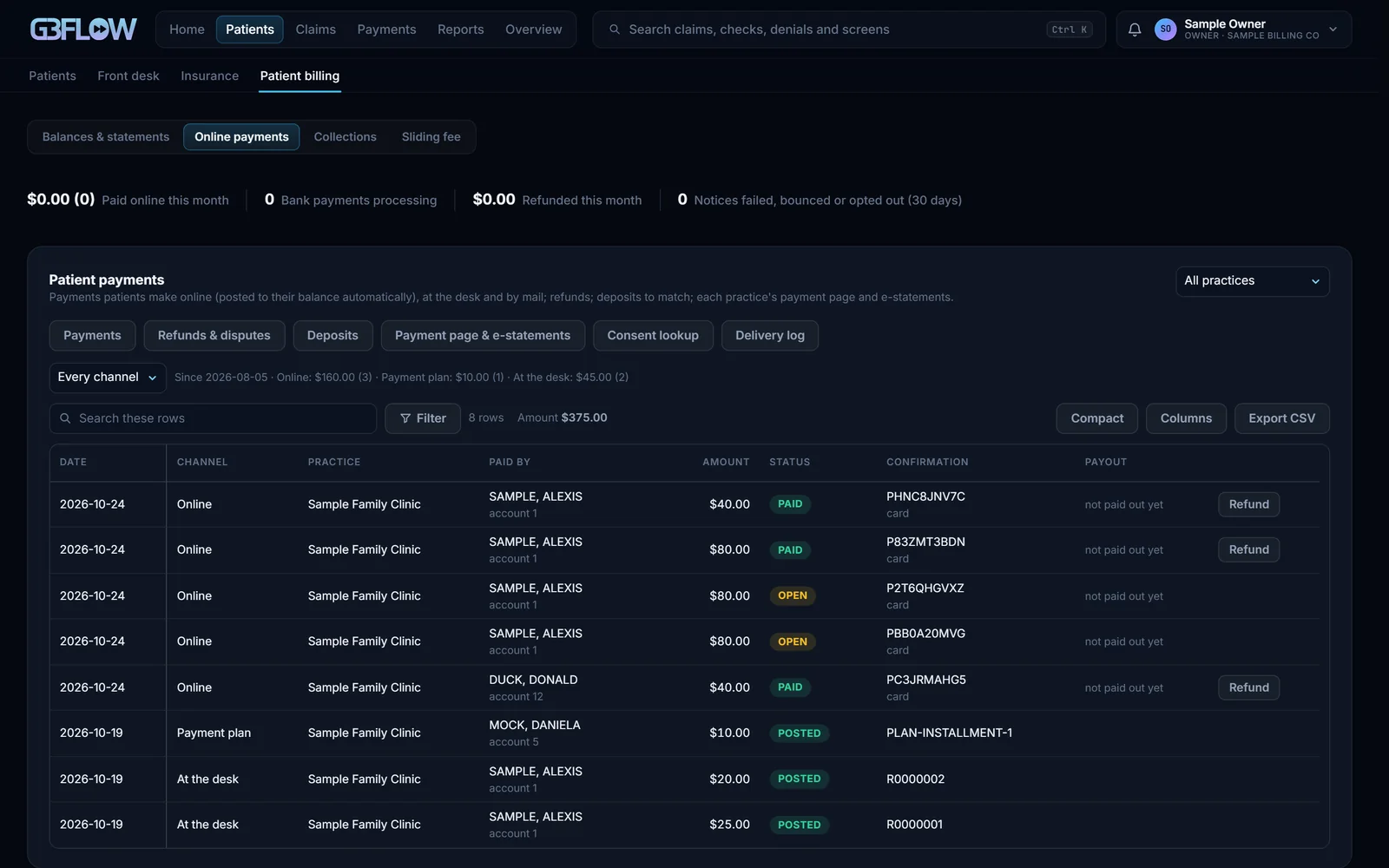
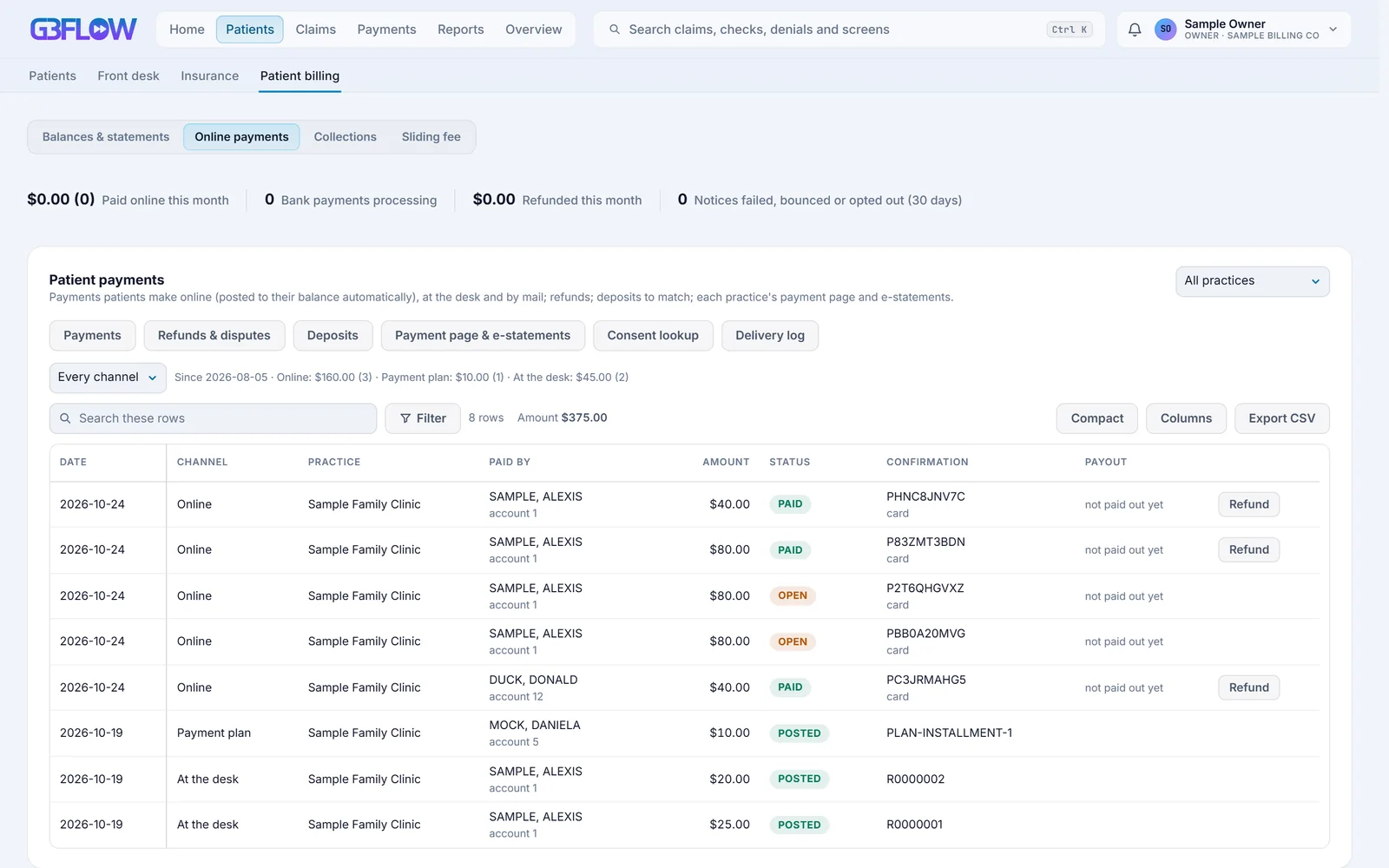
Patient payments. Online, desk and payment-plan payments in one list.
G3 Flow’s Patient payments screen: payments made online, at the desk and on plans, with each one’s amount, status and confirmation. G3 Flow’s Patient payments screen: payments made online, at the desk and on plans, with each one’s amount, status and confirmation.

Reporting

06 / 08

Numbers with their definitions attached, and the date of the data behind them.

  1. KPIs with their definitionsDays in AR, net collection rate, clean-claim rate and denial rate, each with its definition and how fresh its data is.
  2. The cost matrixCharges, payments and rates by payer, procedure, client and month, with margins once you enter your costs.
  3. Monthly reportsA report pack built at the start of every month, with no patient names.
  4. Team performanceTasks done and on-time rates by person, with a quality sample reviewed every week.
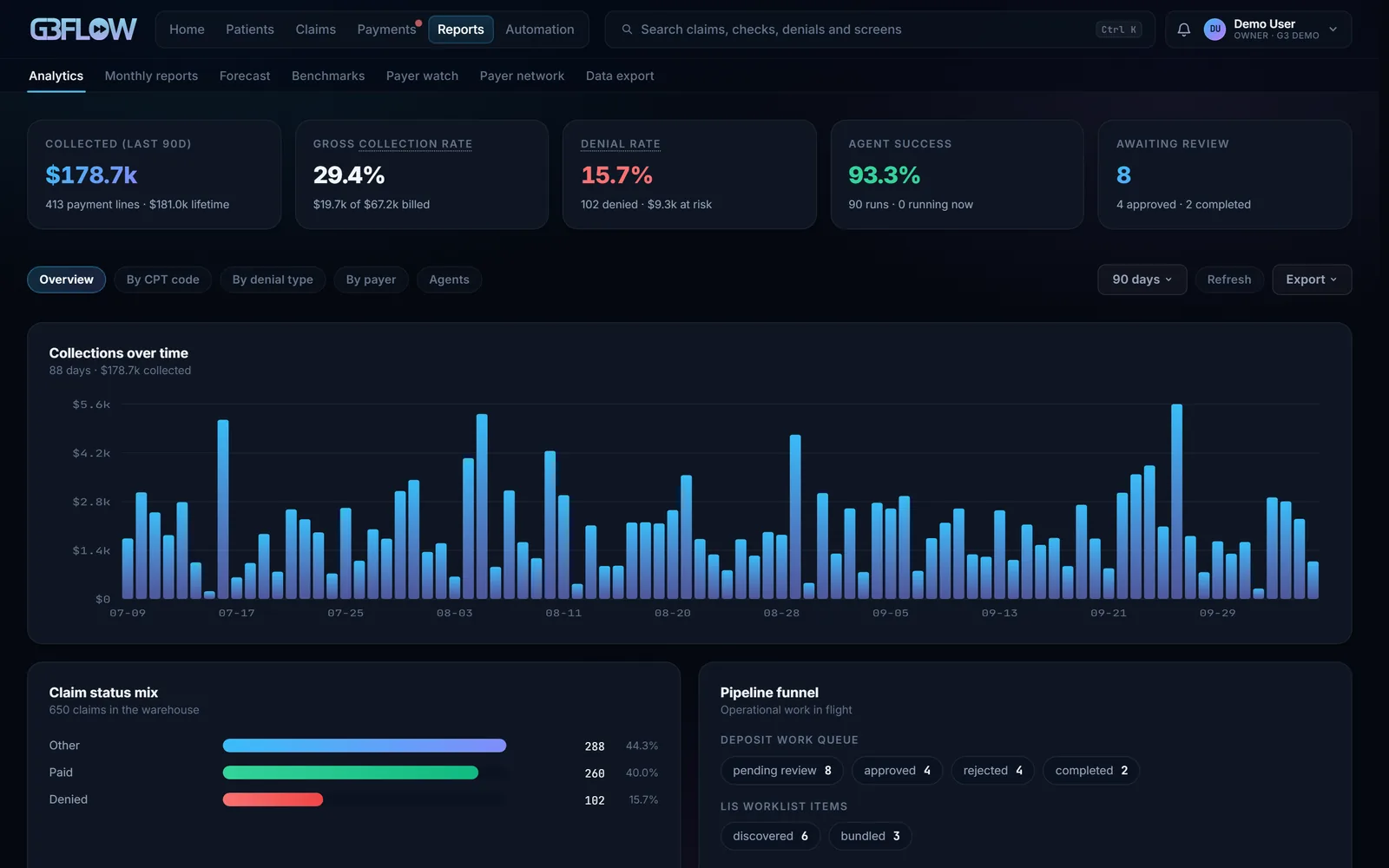
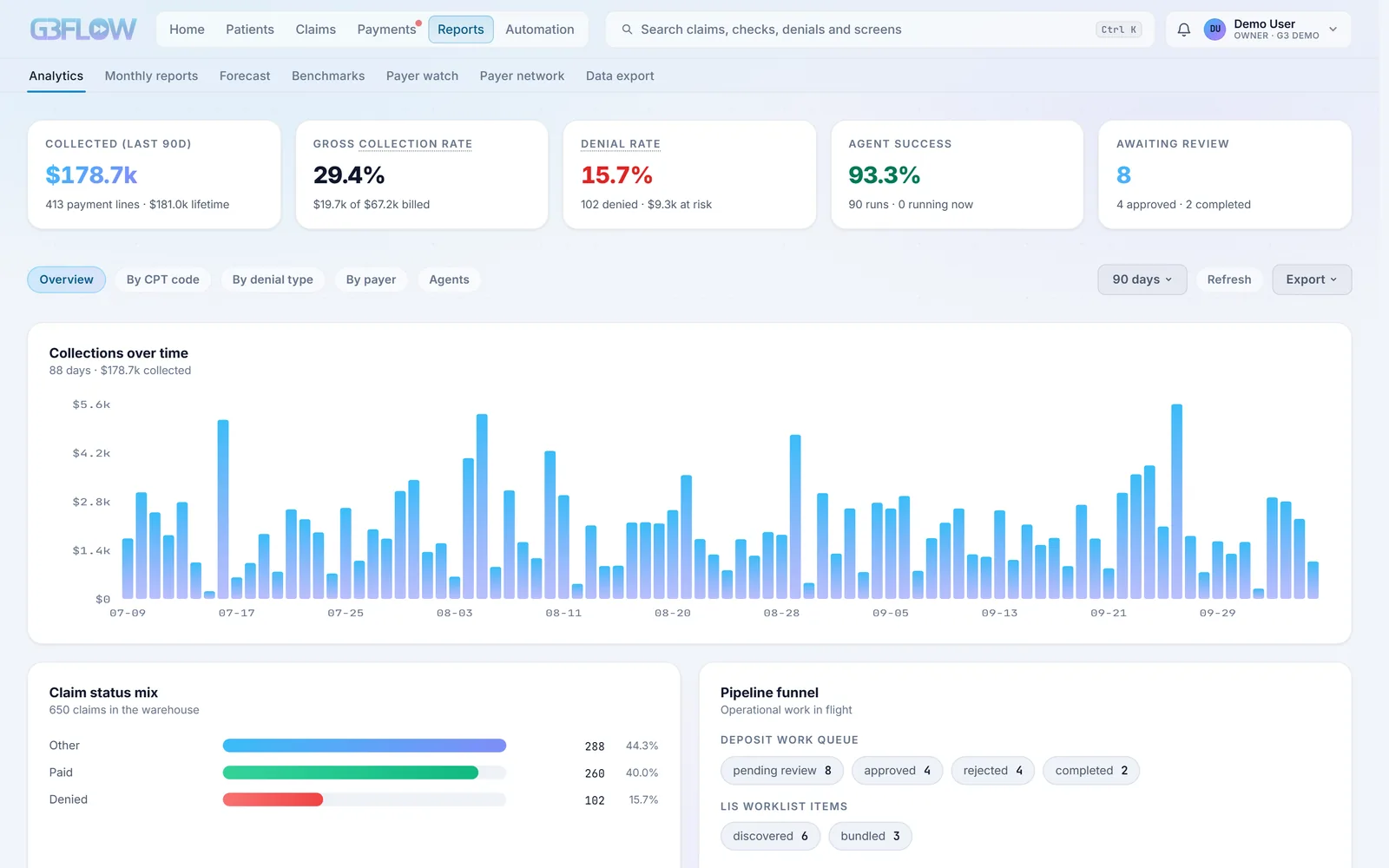
Analytics. Collections over time, collection and denial rates, and the mix of claims.
G3 Flow’s Analytics screen: collections over the last 90 days as a bar chart, under figures for collections, collection rate and denial rate, with the claim status mix below. G3 Flow’s Analytics screen: collections over the last 90 days as a bar chart, under figures for collections, collection rate and denial rate, with the claim status mix below.

Automation

07 / 08

The routine work runs on a schedule you can see, and nothing changes a live system until your team says so.

  1. The daily work, doneCoverage checks, claim follow-up, posting, statements and reports run every day without anyone starting them.
  2. Review before every live changePosting payments, sending claims and changing records show the items, the count and the total first.
  3. Your own rulesAdd your own claim checks and reports. Each is tested on past data and approved by a second admin.
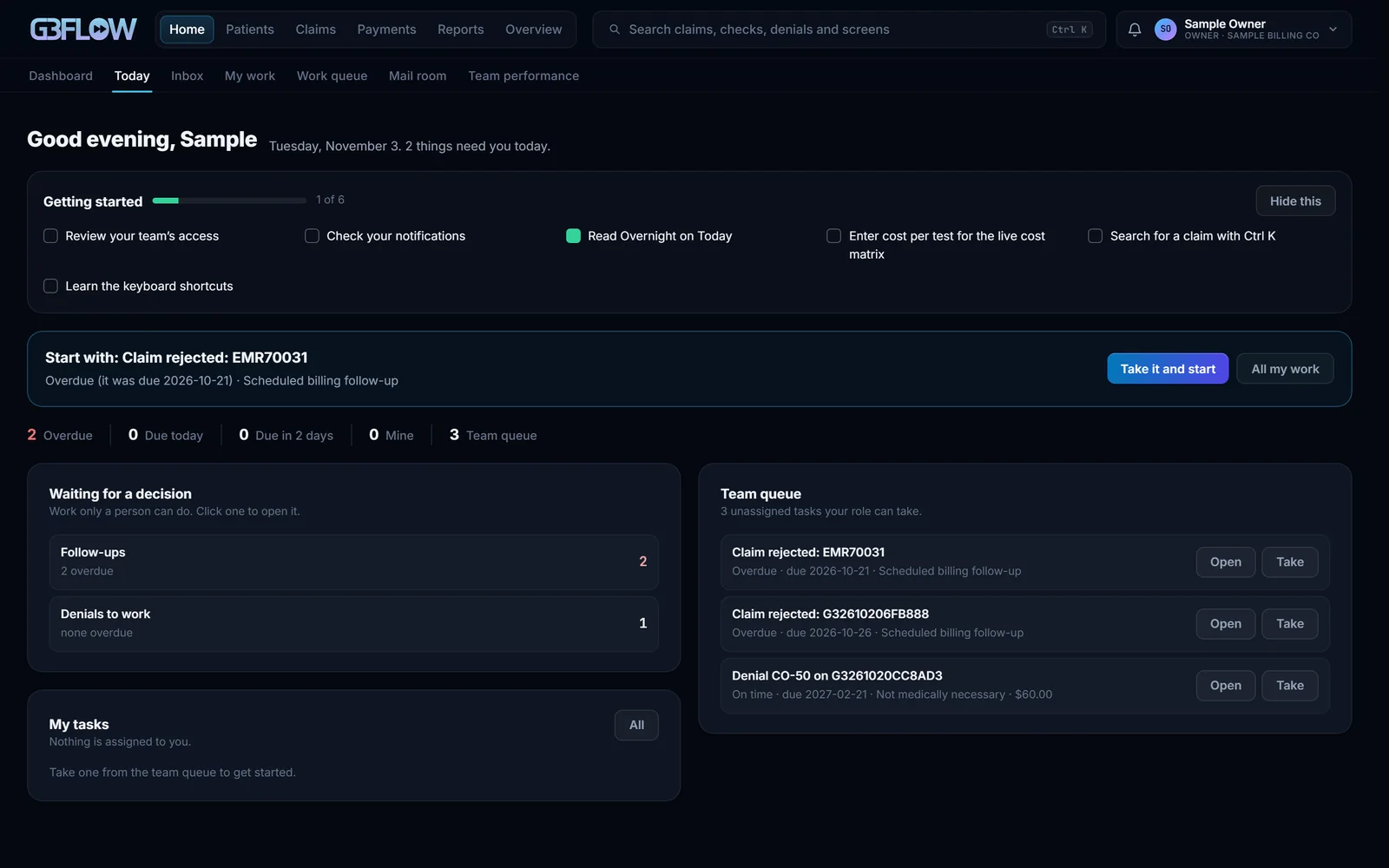
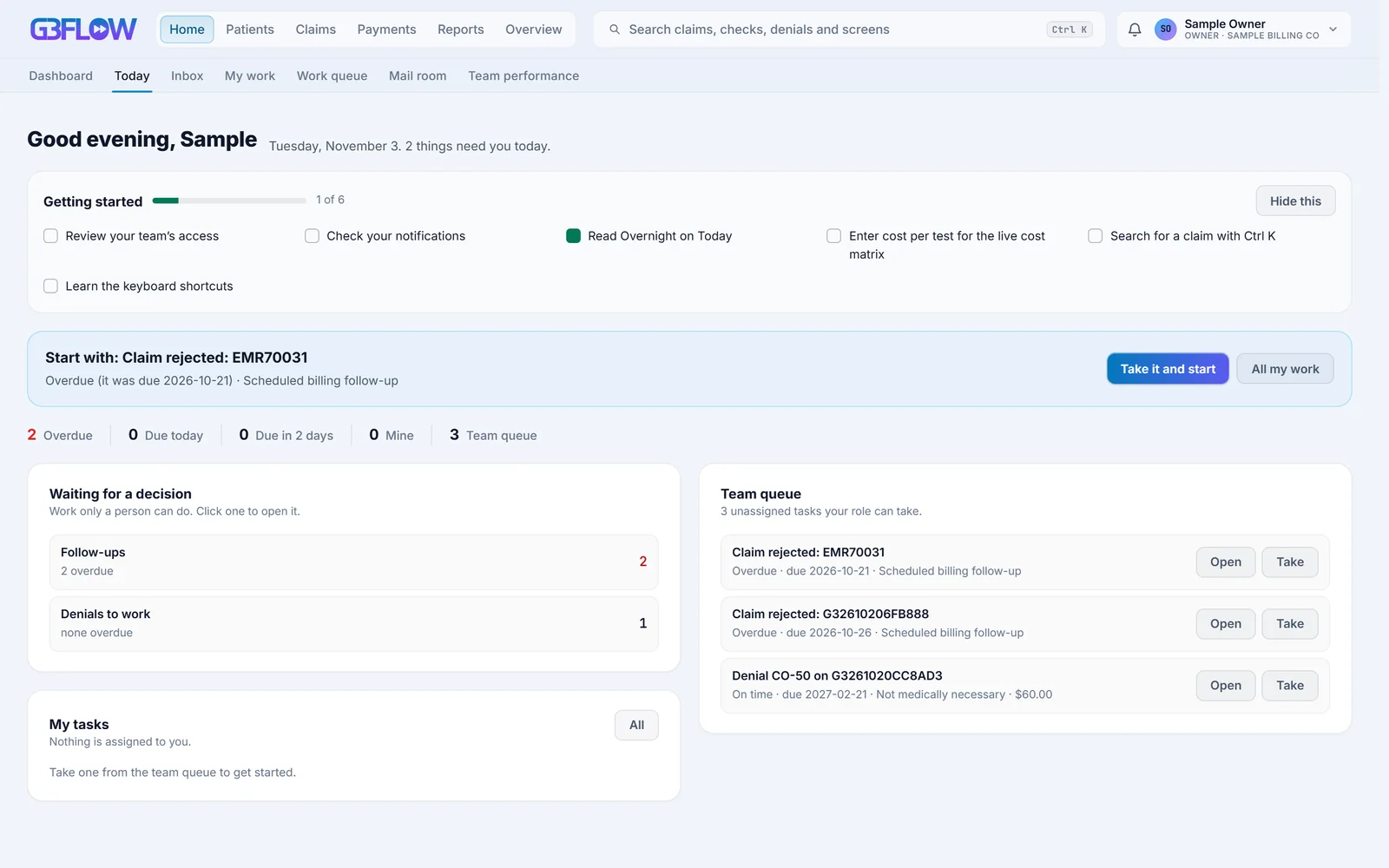
Today. The day’s work in one place: what’s overdue, what’s due and what waits for a decision.
G3 Flow’s Today screen: the first task to start with, counts of overdue and due work, and the decisions waiting for a person. G3 Flow’s Today screen: the first task to start with, counts of overdue and due work, and the decisions waiting for a person.

Your team and your clients

Built for the people who work the queue all day, and for the organizations you bill for.

  1. One queue of workWhat’s due, what’s overdue and the decisions waiting on a person, one task at a time.
  2. Access by jobEach person sees only their clients and their screens, with patient data in full or masked.
  3. A home for each clientEvery client organization gets its own portal with its numbers, reports, requests and invoices.
  4. Our team, when you want itWhere a system isn’t connected yet, the G3 Flow team works that step by hand, on a deadline.
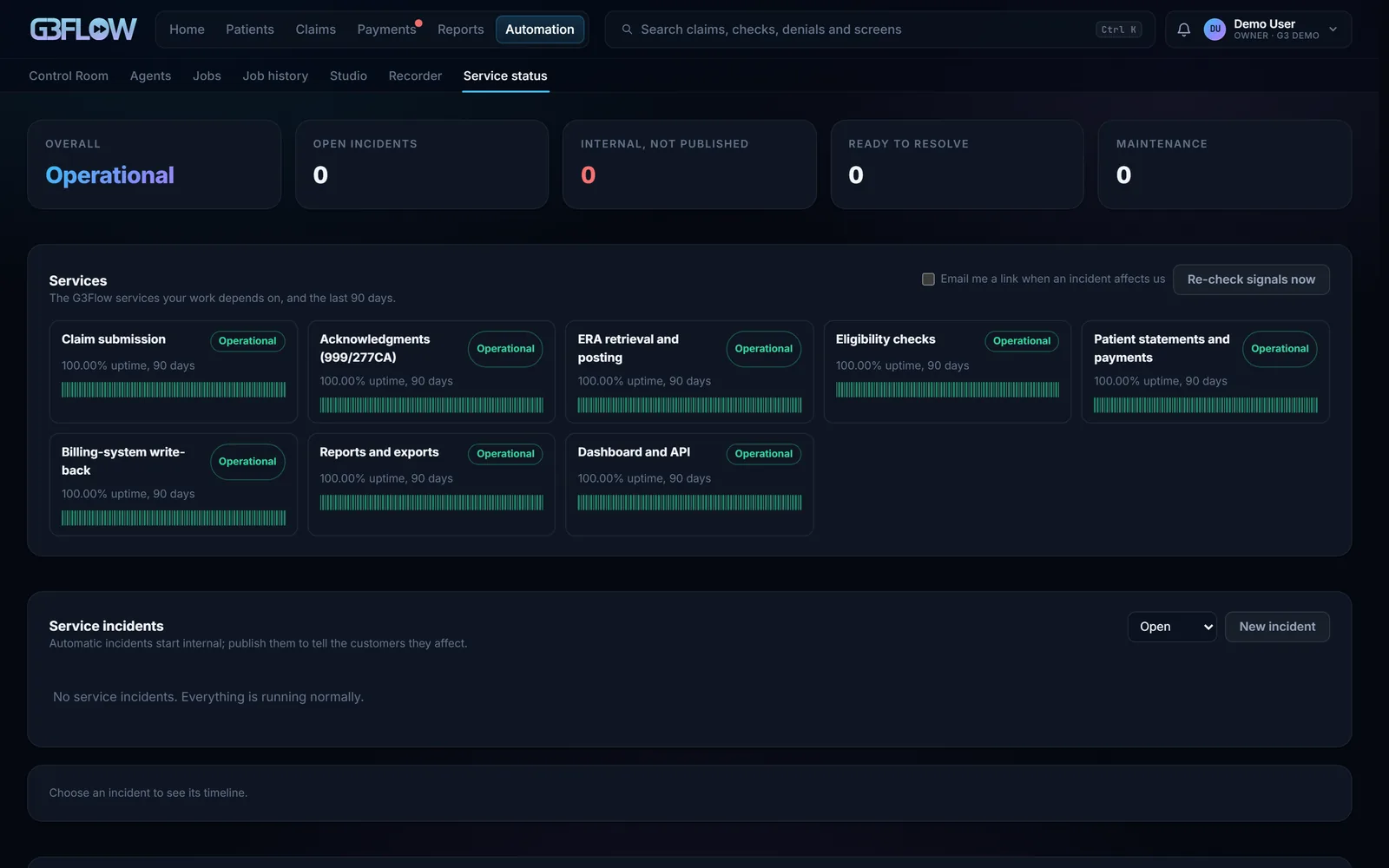
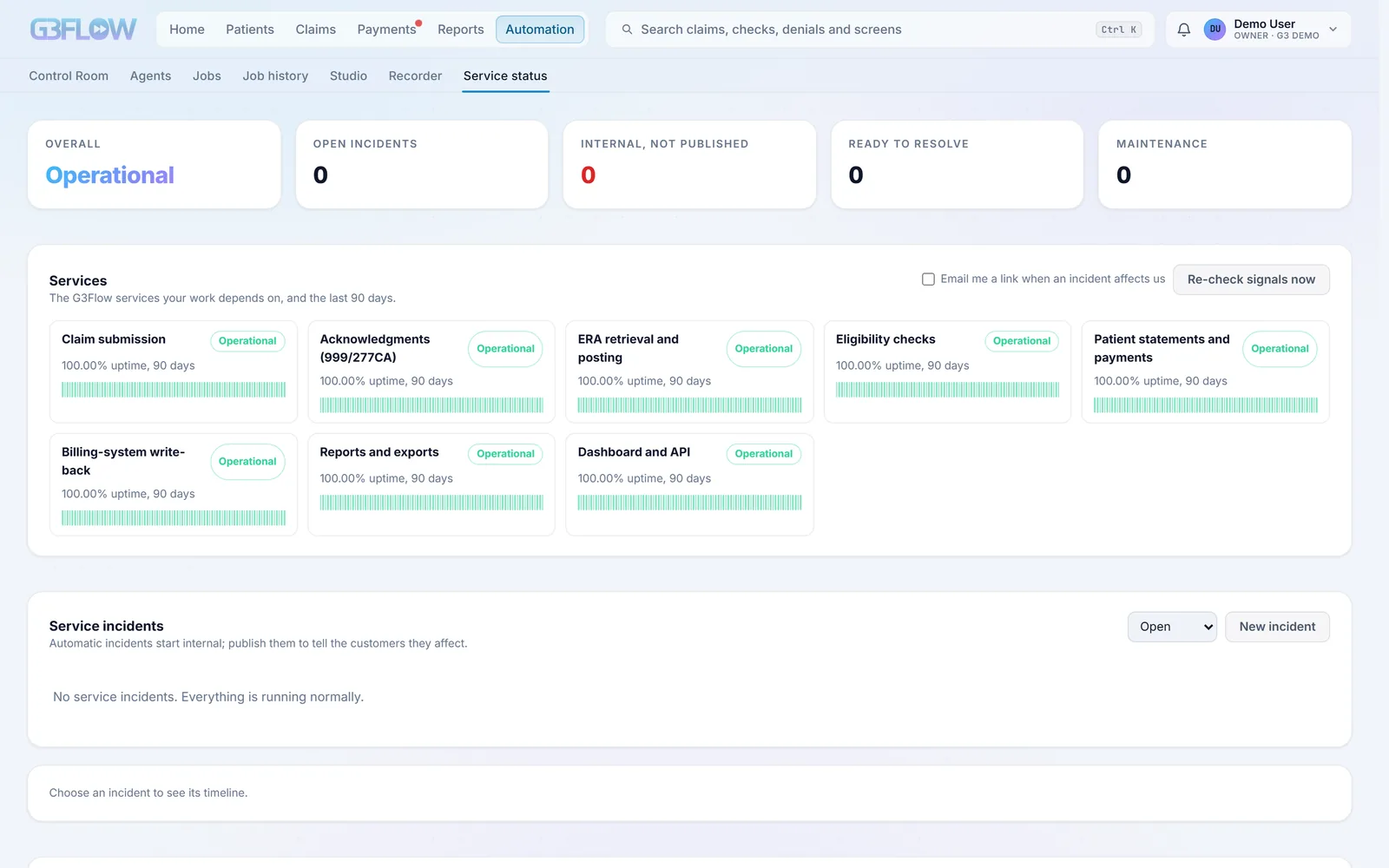
Service status. Every service your work depends on, with 90 days of history.
G3 Flow’s Service status screen: each service your work depends on, operational, with 90 days of uptime bars. G3 Flow’s Service status screen: each service your work depends on, operational, with 90 days of uptime bars.

See it on your own claims.

Create your organization and G3 Flow starts your go-live plan the same day. Prices are public: software by the claim, our team by the share of collections.